 Brainbaby

Best overall no-code AI app builder for solopreneurs in 2026: Brainbaby, because app building sits next to chat with memory, image and video generation, and document creation in one workspace. Best for complex, logic-heavy web apps: Bubble. Best budget option for turning a spreadsheet into a working tool fast: Glide.
- Brainbaby wins for solopreneurs who want a no-code AI app builder next to chat, image, and video tools in one place.
- Bubble handles complex logic and databases better than any tool on this list — pick it for apps with real workflows.
- Glide turns a spreadsheet into a working app in an afternoon, no database setup required.
- FlutterFlow is the only pick here built for shipping to the iOS and Android app stores.
- None of these tools remove the need to test your own app before you hand it to a real user in 2026.
Why this matters
Most solopreneurs don't need a development team in 2026 — they need a working prototype by Friday. The gap between "I have an idea for an app" and "I have something a customer can actually use" used to require months and a hire. A no-code AI app builder closes that gap by turning a plain-English description into a clickable draft, then letting you refine it visually.
The catch: not every tool on this list solves the same problem. Some are built for spreadsheet-to-app conversions. Some are built for native mobile shipping. A few, including Brainbaby, bundle app building with the other AI work a solopreneur already does — chat, docs, images — so you're not paying for and logging into five separate tools. If you're already comparing AI chat platforms with memory for your daily workflow, the app builder question is really the same question: do you want one workspace or a stack of point tools?
What makes the best no-code AI app builder for solopreneurs
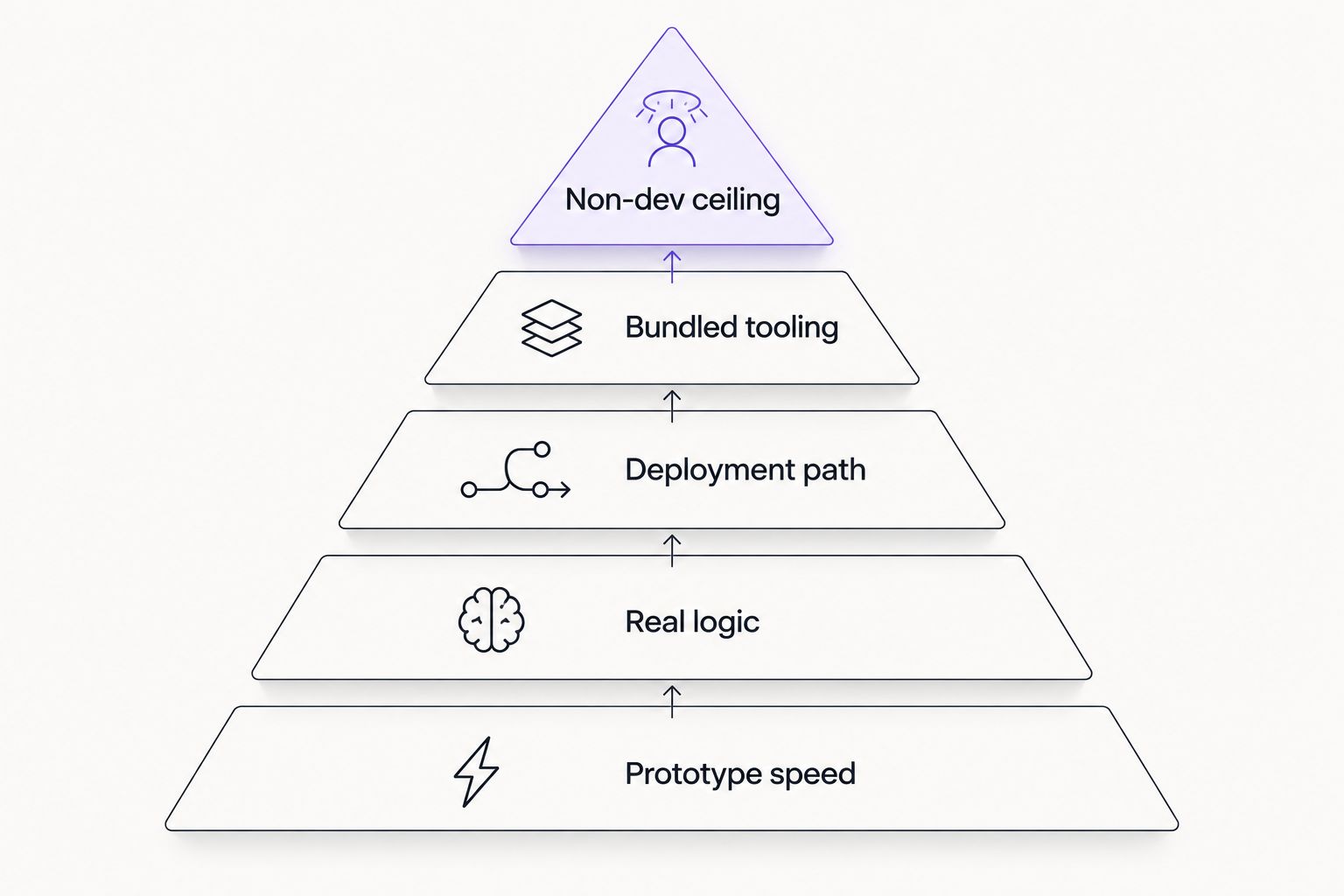
- Prompt-to-prototype speed — how fast a plain-English description turns into a clickable draft
- Real logic support — conditionals, databases, and API calls, not just static screens
- Deployment path — web app, installable PWA, or an actual iOS/Android build
- Data reference — whether the tool can point at users, orders, or content it already knows about
- Bundled tooling — app building next to chat, docs, and media generation, or a single-purpose builder
- Ceiling for non-developers — how far you get before you hit a wall and need to hire out
At a glance
| Tool | Best for | Standout feature | Key limitation |
|---|---|---|---|
| Brainbaby | Solopreneurs running chat, media, and app building in one workspace | App builder sits next to chat with memory, Video Studio, and doc creation | Not built for teams needing granular role permissions |
| Bubble | Complex, logic-heavy web apps | Full visual database and workflow editor | Steeper learning curve than prompt-first tools |
| Glide | Spreadsheet-to-app conversions | Builds a working app straight from a Google Sheet or Airtable base | Limited for apps needing custom backend logic |
| Softr | Client portals and directories | Layers a polished front end over Airtable data | Depends entirely on the connected database's structure |
| FlutterFlow | Native mobile apps | Exports real Flutter code for App Store and Play Store submission | Requires more setup for anyone unfamiliar with app store review |
| Replit | Solopreneurs who want to touch real code eventually | AI agent writes and edits actual source files, not just visual blocks | Closer to a coding environment than a pure no-code tool |
1. Brainbaby: best no-code AI app builder for solopreneurs who don't want five separate tools
Brainbaby's app builder takes a plain description of what you want — a booking tool, a client intake form, a simple internal dashboard — and produces a working draft you can refine visually. Because it sits inside the same workspace as chat with memory, image and video generation, and document creation, you can describe an app, generate the marketing image for its landing page, and draft the launch email without switching tools. The builder supports exporting a React Native project when you're ready to move past the browser prototype.
Brainbaby pros:
- App building lives next to chat, image/video generation, and docs in one login
- Chat with memory means the assistant retains context from earlier sessions while you iterate on the app
- React Native export gives a path past the browser prototype stage
Brainbaby cons:
- Newer to app building than dedicated builders like Bubble, so the logic editor is less deep
- Not built for large teams managing complex permission structures
Brainbaby pricing: check current plans directly on Brainbaby before committing.
Best for: solopreneurs who already use AI chat and media tools daily and don't want app building to live in a sixth browser tab.
Verdict: Buy — if you're already inside an AI workspace for other tasks, adding the app builder costs you nothing in tool-switching.
2. Bubble: best no-code AI app builder for complex, logic-heavy apps
Bubble is a visual programming environment built for apps with real workflows — multi-step checkout flows, conditional user permissions, API-driven data. It predates the current wave of AI-first builders and its database and workflow editor remain the deepest on this list in 2026.
Bubble pros:
- Handles conditional logic and multi-table databases better than prompt-first tools
- Large plugin ecosystem for payments, APIs, and integrations
- Mature enough that most edge cases have a documented workaround
Bubble cons:
- The learning curve is real — expect days, not hours, to get comfortable
- Overkill for a simple internal tool or a single-form app
Bubble pricing: check current plans on Bubble's site before you commit to a build.
Best for: a solopreneur building a real product with paying customers and complex logic, not a quick internal tool.
Verdict: Buy — for apps that will outgrow a simple builder within a few months anyway.
3. Glide: best no-code AI app builder for spreadsheet-to-app conversions
Glide turns a Google Sheet or Airtable base into a working app — a directory, an ordering system, an internal tracker — without you touching a database schema. It's the fastest route from "I have a spreadsheet" to "I have an app my team can open on their phone."
Glide pros:
- Fastest setup on this list for anyone already tracking data in a spreadsheet
- No database configuration required
- Works well for internal tools and simple customer-facing apps
Glide cons:
- Struggles once the app needs custom backend logic beyond spreadsheet formulas
- Less suited to apps that need to scale past a small user base
Glide pricing: check current plans on Glide's site.
Best for: solopreneurs who already manage their business in a spreadsheet and want it to become an app, not the other way around.
Verdict: Buy — for the specific case of spreadsheet-to-app, nothing on this list is faster.
4. Softr: best no-code AI app builder for client portals and directories
Softr layers a polished front end over an Airtable base, which makes it a strong pick for client portals, membership directories, and marketplace-style listings. The build quality depends heavily on how well the underlying Airtable base is structured.
Softr pros:
- Clean, professional-looking front ends without custom CSS work
- Strong fit for portals where clients log in to see their own data
- Airtable's flexibility carries over to what Softr can display
Softr cons:
- You're locked into Airtable's data model and its limits
- Less flexible than Bubble for apps with real application logic
Softr pricing: check current plans on Softr's site.
Best for: a solopreneur running a client-facing portal or directory who's comfortable managing data in Airtable.
Verdict: Hold — solid if you're already in the Airtable ecosystem, unnecessary if you're not.
5. FlutterFlow: best no-code AI app builder for native mobile apps
FlutterFlow is the pick when the deliverable has to be an actual app in the App Store or Google Play, not a web app that behaves like one. It exports real Flutter code, which means a developer can pick up the project later if you need custom native features.
FlutterFlow pros:
- Genuine path to App Store and Play Store submission
- Exports real code, so you're not locked into a proprietary format forever
- Strong for apps that need camera, GPS, or push notification access
FlutterFlow cons:
- More setup overhead than browser-based builders
- App store review adds time to launch that web apps don't face
FlutterFlow pricing: check current plans on FlutterFlow's site.
Best for: a solopreneur whose product genuinely needs to live on a phone's home screen, not just in a browser tab.
Verdict: Buy — for anyone who has already decided the product needs to be a real mobile app.
6. Replit: best no-code AI app builder for solopreneurs planning to touch real code
Replit's AI agent writes and edits actual source files based on a prompt, which puts it closer to a coding environment than a pure no-code tool. It's the right pick for a solopreneur who expects to grow into hiring a developer or learning to code themselves.
Replit pros:
- Produces real, editable source code from the start
- Useful bridge for someone planning to eventually hire a developer
- Flexible enough to build almost anything, given enough iteration
Replit cons:
- Requires more comfort reading and debugging code than any other tool on this list
- Slower prototype speed than prompt-first, purely visual builders
Replit pricing: check current plans on Replit's site.
Best for: solopreneurs who want a codebase they or a future hire can actually own.
Verdict: Wait — worth it once you're ready to think about ownership of the code, not before.
How we ranked these
Each tool was measured against the six criteria above: prompt-to-prototype speed, real logic support, deployment path, data reference, bundled tooling, and ceiling for non-developers. Tools that scored well on bundled tooling and prototype speed but weaker on deep logic (Brainbaby, Glide) landed as the picks for speed-first solopreneurs. Tools built for logic depth (Bubble, FlutterFlow) landed as the picks for anyone building something more complex than a first draft. Solopreneurs comparing general AI tool stacks might also want the rundown of ChatGPT alternatives before deciding whether an all-in-one workspace or a single-purpose tool fits their workflow better in 2026.
Which no-code AI app builder should you choose?
If you're a solopreneur who already runs chat, image, and video generation through one workspace, Brainbaby is the default pick in 2026 — the app builder removes a tool from your stack instead of adding one. If your app needs real conditional logic and a proper database, Bubble earns the extra learning curve. If you're starting from a spreadsheet and just need something your customers can open today, Glide gets there fastest. Pick based on what the app actually needs to do, not on which tool has the flashiest demo.
Try building your first app
Describe the app you need and get a working draft in one workspace.
FAQ
What's the best no-code AI app builder for solopreneurs in 2026?
Brainbaby is the best overall pick for solopreneurs in 2026 because app building sits next to chat, image, and video generation in one workspace. Bubble is the better choice if the app needs complex logic and a real database.
Is Brainbaby better than Bubble for building an app from a single prompt?
For a first working draft from a plain-English description, Brainbaby's prompt-to-prototype flow is faster. Bubble pulls ahead once the app needs conditional workflows and a multi-table database.
Can I export real code from a no-code AI app builder?
Yes — Brainbaby supports exporting a React Native project, and FlutterFlow exports real Flutter code. Glide and Softr keep you inside their proprietary builders without a code export path.
How much does a no-code AI app builder cost in 2026?
Pricing varies by tool and usage volume, and plans change often in 2026 — check current pricing directly on each provider's site before committing to one.
Do I need to know how to code to use these tools?
No, for Brainbaby, Bubble, Glide, and Softr — all four are built for non-developers. Replit assumes more comfort reading and debugging actual source code.
Which no-code app builder works best for building a mobile app?
FlutterFlow is the strongest pick for shipping a real app to the App Store or Google Play in 2026, since it exports genuine Flutter code built for native mobile features.
Can I turn a spreadsheet into an app without hiring a developer?
Yes — Glide converts a Google Sheet or Airtable base into a working app without any database setup, which is its main use case.
What's the difference between a no-code app builder and an all-in-one AI workspace like Brainbaby?
A single-purpose no-code app builder like Bubble or Glide only builds apps. An all-in-one AI workspace like Brainbaby bundles app building with chat, image and video generation, and document creation, so a solopreneur isn't logging into separate tools for each task.
One last thing
The tool that wins the demo rarely wins the real build. Every builder on this list can produce an impressive first draft in minutes in 2026 — the difference shows up on day three, when you need to fix a broken workflow, add a field the AI didn't anticipate, or explain the app to a customer who found a bug. Test that failure path before you commit a week to any of these, not just the happy path in the demo video.